Capacity | |||||
Maximum Number Of Cameras | Up to 10000+ channels | ||||
User | Up to 5000 Users | ||||
Roles for each User | Unlimited | ||||
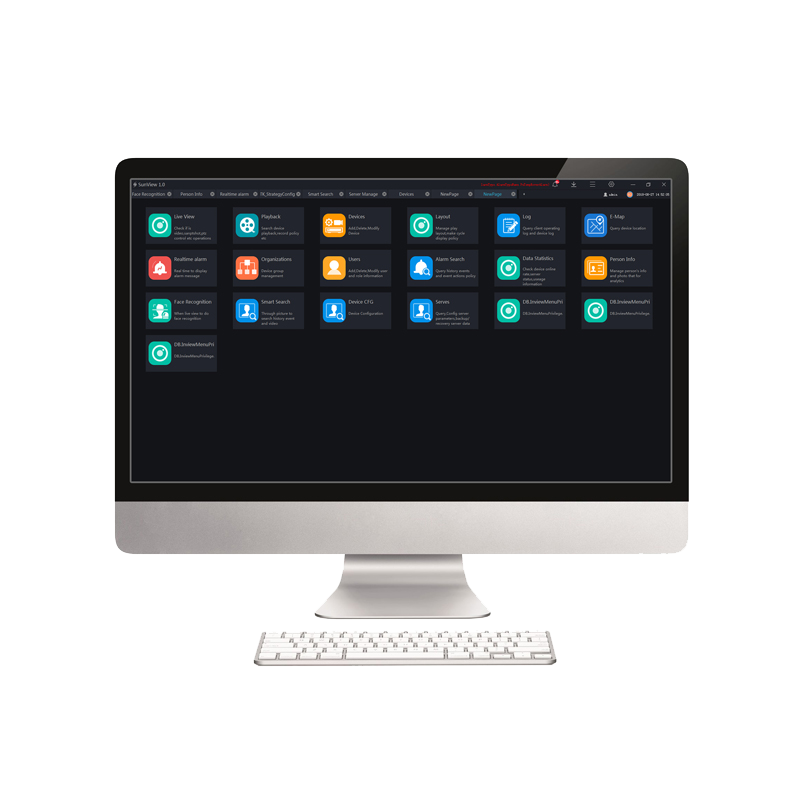
Live View | |||||
Screen Layout | 1/ 4 /6 /8 /9 /16 /25 /32 /36 /64 layout 1/ 4 /6 /8 /9 /16 /32 /64 custom layout | ||||
PTZ Control | Pan, Tilt, Zoom, Edit and control, Zoom+, Zoom-, IRIS +,IRIS-, Near focus, Far focus, Focus, Orientation, Wiper, Turn on the light, Cruise, Preset | ||||
Image | Brightness, Sharpness, Saturation, Contrast | ||||
Features | Close View, Start Audio, Start Intercom, Start Record, Snapshot, Continuous Snapshot, Window Ratio, Restore, Start 3D, Full Screen, Hardware Acceleration, Open Mouse Thermometry, Show Area Temperature | ||||
Playback | |||||
Playback | NVR recording playback Playback maximum 16 channels under several modes & full screen. | ||||
Function and Feature | Recording schedule, Rewind, Pause/Play, Stop, Next frame, -8x~8x speed for forward and backward, Layout display, Full screen, Download, Select progress bar format | ||||
Alarm | |||||
Real-Time Alarm | Alarm display, Alarm processing, Alarm operation, Interface display, Toolbar alarm shortcut settings | ||||
Alarm Search | Time, Type, Processing status, Device name, Operation, Alarm information, Interface display setting | ||||
E-map | |||||
Format | PNG/XPM/JPG | ||||
Map Alarm | Alarm flash | ||||
Features | Hot spot, map zoom in/out | ||||
User Management | |||||
User Management | Add, Delete User and Role Edit and Delete User, Query user | ||||
User Level | Administrator, Operator | ||||
User Info | User name, password, user level, permissions Different default permissions for different user levels Assignable permission(s) of each IPC | ||||
Privilege | Menu Privilege, Channel Privilege, Face Library Privilege | ||||
System Configuration | |||||
Base Setting | Login, alarm message, language, initial page set, video proportion, decoding method, default stream | ||||
File Path | Configuration picture and video save path | ||||
Hotkey Setting | Configuration help documentation, preview full screen, playback, real time alarm, system configuration, user management, device management, capture, lock screen, switch users, turn on/off alarm sound, start/stop record shortcut key. | ||||
Capture Setting | Setting capture interval | ||||
Log Export | Configuration log export path | ||||
System Requirements | |||||
Name | PC Client | Central Management Server | Media Distribution Server | Intelligent Analysis Server(CPU environment) | Intelligent Analysis Server(CPU environment) |
CPU | Intel® Core™ i5-7500 or better | Intel® Core™ i5-7500 or better | Intel® Core™ i5-7500 or better | Intel® Core™ i7 or better | Intel® Core™ i7 or better |
RAM | 8 GB or more | 8 GB or more | 8 GB or more | 8 GB or more | 8 GB or more |
Network Card | Gigabit/s | Gigabit/s | Gigabit/s | Gigabit/s | Gigabit/s |
HDD | 50 GB or Above | 50 GB or Above | 50 GB or Above | 50 GB or Above | 50 GB or Above |
OS | Microsoft® Windows® 7 Pro (64 bit) Microsoft® Windows® 10 Pro (64 bit) Microsoft® Windows® 10 Enterprise (64 bit) Microsoft® Windows® Server 2012 Microsoft® Windows® Server 2016 | ||||
Software | DirectX 11 or above | — | — | — | — |
Display Resolution | 1600×960 and above, default 1920x1080 | — | — | — | — |
Video Card | — | — | — | — | — |
GPU | — | — | — | — | NVIDIA GTX 1050 or better |