|
Account Management |
|
|
Account Management |
Register a new account via email address |
|
Account login and logout |
|
|
Change account password |
|
|
Reset account password |
|
|
Login by fingerprint authentication |
|
|
Associated User Management |
|
|
Synchronize local device to cloud account |
|
|
Synchronize cloud device to local |
|
|
Delete account permanently |
|
|
Device Management |
|
|
Device Management |
Supports IPC, NVR, DVR |
|
Supports adding the devices via auto search (LAN), manual adding (IP/Domain, DDNS) and QR code scanning |
|
|
Edit/delete devices |
|
|
Edit device name |
|
|
Remote configuration maintenance to devices |
|
|
Live View |
|
|
Live View |
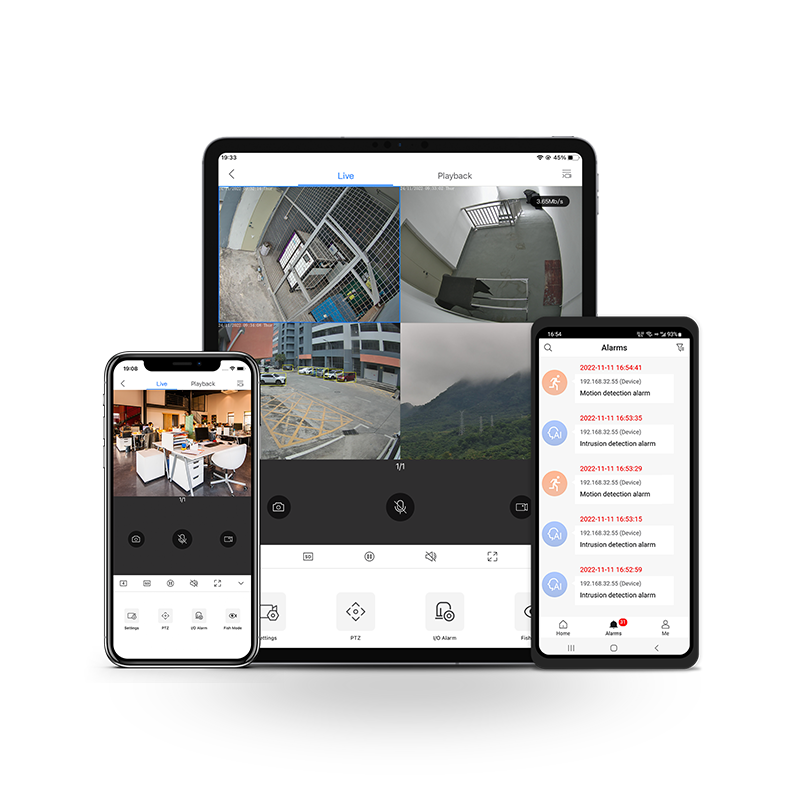
1/4/9/16 display layouts |
|
Change live view quality: HD or SD |
|
|
Two-way audio |
|
|
Full-screen mode |
|
|
PTZ control |
|
|
I/O alarm |
|
|
Fisheye dewarping |
|
|
Digital zoom |
|
|
Snapshots and videos can be saved to the mobile phone |
|
|
Playback |
|
|
Playback |
Search by calendar, select the data to playback Support to select a specific time to playback Drag the timeline to search |
|
Search videos by time |
|
|
Up to 4 channels of simultaneous playback |
|
|
1 or 4 window division |
|
|
Control audio |
|
|
Capture and recording |
|
|
Drag timeline to set playback start time |
|
|
Adjust playback speed |
|
|
Download video footage to the mobile phone |
|
|
Alarm Notification |
|
|
Alarm Notification |
Receive alarm (event) notifications |
|
View alarm (event) information and related videos |
|
|
Alarm search can be filtered by device, alarm time and alarm type. |
|
|
Alarms can be filtered by device. |
|
|
Support multiple alarm notification types |
|
|
Remote Configuration |
|
|
Remote Configuration |
Draw privacy masking area for network cameras |
|
Configure image adjustment and day/night mode for network camera |
|
|
Configure network setting for device |
|
|
Configure language, time and time zone for device |
|
|
Change device password |
|
|
Configure motion detection, intrusion and line crossing detection for specific network camera |
|
|
Display storage status and device version |
|
|
Add devices to Favorites |
|
|
Favorites |
|
|
Favorites |
User can save cameras to Favorites during live view. |
|
Allows user to add, edit, delete Favorites |
|
|
User can start live view by one tap of the favorite. |
|
|
Language |
|
|
Language |
English, Simplified Chinese, Russian, French, Korean, Spanish, Polish, Czech, Danish, Italian, Dutch, Traditional Chinese, Portuguese, Hebraism, Finnish, German, Turkish |
|
System Requirements |
|
|
Operating system |
Supports iOS (10.0 or later) and Android (5.0 or later). |